Naar de inhoud
Calculator guide

How to calculate the right price yourself

The calculator works best when you count not only the large windows, but also every individual pane and the inside windows.

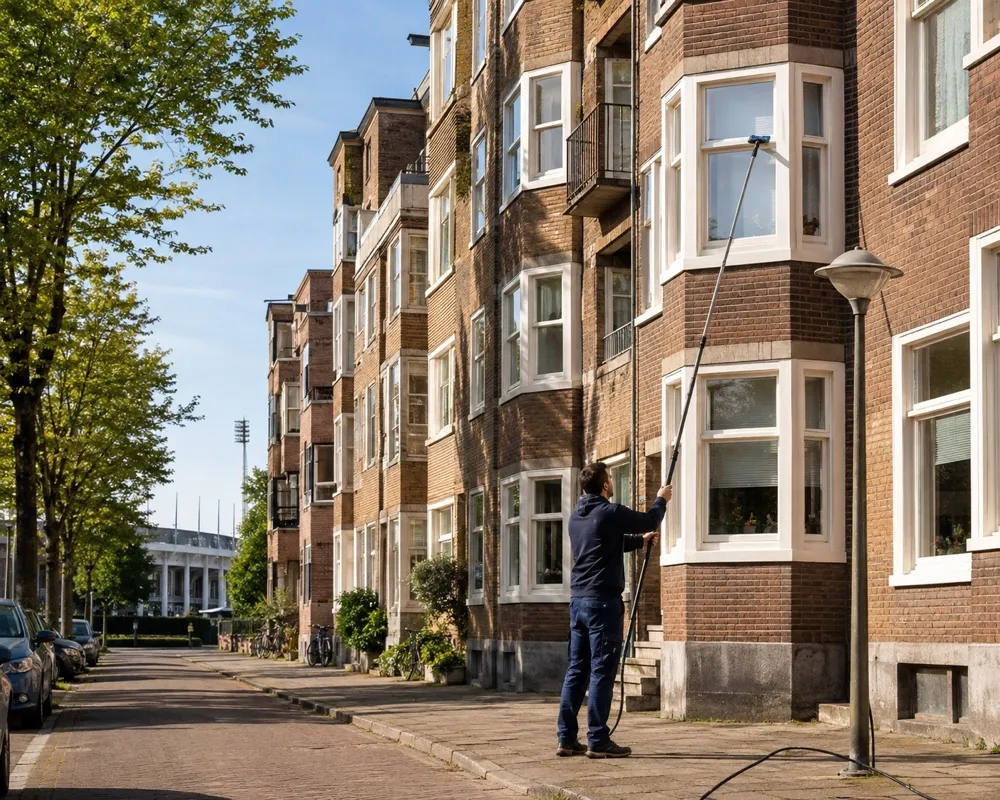
Window cleaner working at a home in Amsterdam

Please note

Count the individual panes.

Step by step

From address to a clear price

The first calculation covers the outside. Inside windows are a separate service that you add afterwards.

01
Your address

Start with your address

Enter your street and house number. The calculator immediately checks whether the address is within our service area.

DienstenCRM · step 01

Search by address + house number

Pieter Calandlaan 101
Pieter Calandlaan 101, Amsterdam, Netherlands
02
Outside

Count the regular windows per floor

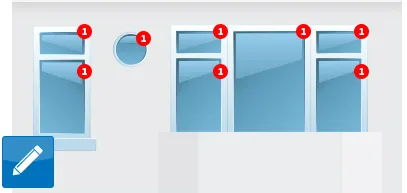
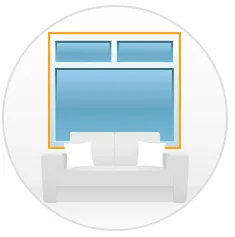
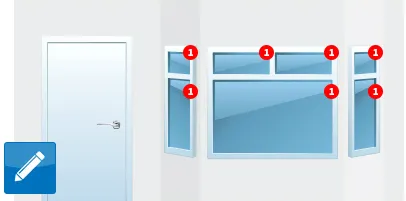
Count every individual pane. A window with three separate panes counts as three windows. Use the pencil to adjust the count for each floor.

DienstenCRM · step 02

This is how you count

Regular windows

OUTSIDE
Example of ground-floor windows in the price calculator
Ground floor
Example of first-floor windows in the price calculator
1st floor
Example of second-floor windows in the price calculator
2nd floor
03
Do not skip this

Check the special windows too

Always open the “Special windows” section. Count roof windows, stained glass, domes and small panes separately.

DienstenCRM · step 03

Special windows

OPEN THIS TOO
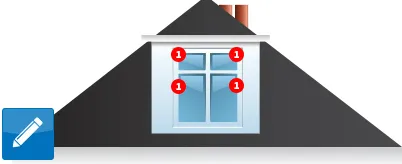
Example of a roof or tilt window in the price calculator
Roof/tilt window
Example of stained glass in the price calculator
Stained glass
Example of a light dome in the price calculator
Light dome
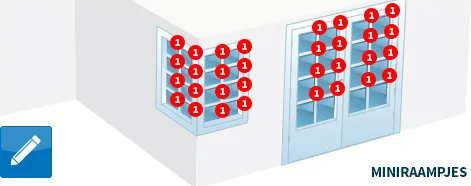
Example of small panes in the price calculator
Small panes
04
Frequency

Choose how often you want us to come

You see the price per visit. Choose a recurring appointment or “On request” if you want to start with one visit.

DienstenCRM · step 04

How often should we come?

Every 4 weeks€18.15 per visit
Every 8 weeks€18.15 per visit
On request€22.51 per visit
05
Inside

Add inside windows as an extra service

After calculating the outside, click “More services” and choose “Inside window cleaning”. Enter the regular, roof/tilt and small panes again.

DienstenCRM · step 05

More services

STEP 2
Inside window cleaning icon in the More services step

Choose next

Inside window cleaning

Enter the inside panes separately.

8regular panes
0roof/tilt
0small panes
Example

An apartment with 8 windows

For 8 regular outside windows, the module calculates €18.15 per visit for a recurring appointment. Add 8 regular inside windows and €16.04 is added every 8 weeks.

Outside€18.15per visit
Inside€16.04per visit
Together€34.19per visit
Try it yourself

Calculate your own price

You do not have to complete the appointment. Go through the calculator and take a look at the price for your home.

Book online

Calculate your price

Booking form is loading…

Need help with the calculator? View the short explanation

Prefer to talk it through? Contact us — or use one of these:
Frequently asked questions

Frequently asked questions

Do you also clean windows on the inside?

Yes. In the “Calculate your price and make an appointment” module, you first enter the outside windows. Then choose “Inside window cleaning” under “More services” and enter the number of inside panes.

Should I count a window with several panes more than once?

Yes. Count every individual pane separately. Four small panes in one frame count as four windows in the calculator.

What are special windows?

These include roof or tilt windows, stained glass, domes and small panes. They appear in a separate section next to the regular windows.

Can I book outside cleaning only?

Yes. The outside is the first calculation. You can add inside windows afterwards through “More services”.

Do I have to complete the appointment?

No. You can go through the calculator to view the price. You do not have to complete the booking.